Biodata Format in Word: Build One That Holds Its Layout
Most broken biodata files are broken for the same reason: the layout was made with spaces and tabs instead of a table, so it collapses the moment anyone edits or prints it. The fix is structural and takes about ten minutes.
When this format is the right one
Word is what you want when the office will type into your file, when a form has to be filled and returned, when you will update the document often, or when the employer explicitly asks for an editable copy. Send PDF when you are emailing a finished application and need the layout frozen exactly as you designed it.
Sample Biodata in Word format
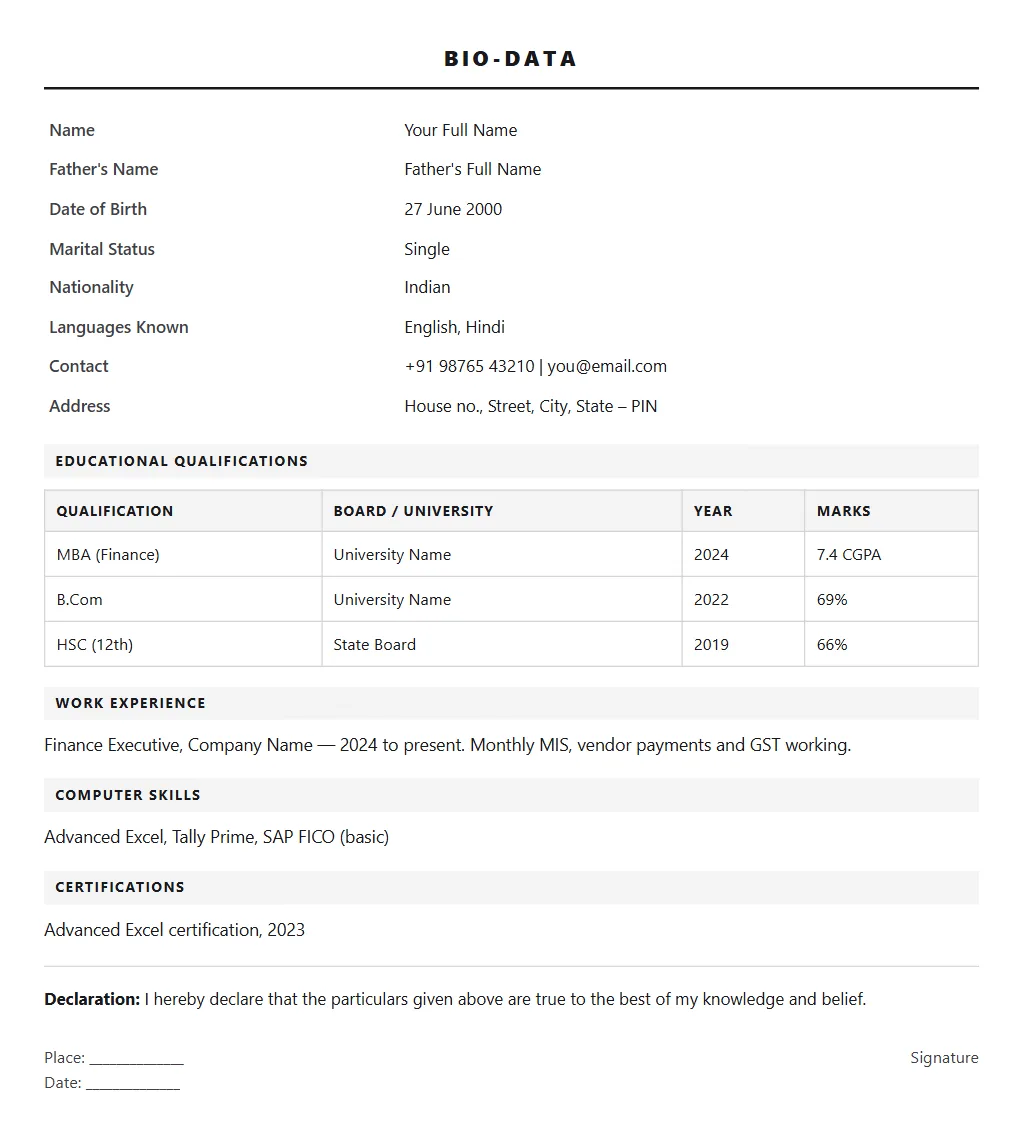
Plain text you can copy straight into Word. Replace the values and the structure keeps working.
| Name | Your Full Name |
| Father's Name | Father's Full Name |
| Date of Birth | 27 June 2000 |
| Marital Status | Single |
| Nationality | Indian |
| Languages Known | English, Hindi |
| Contact | +91 98765 43210 | you@email.com |
| Address | House no., Street, City, State: PIN |
| Qualification | Board / University | Year | Marks |
|---|---|---|---|
| MBA (Finance) | University Name | 2024 | 7.4 CGPA |
| B.Com | University Name | 2022 | 69% |
| HSC (12th) | State Board | 2019 | 66% |
Finance Executive, Company Name: 2024 to present. Monthly MIS, vendor payments and GST working.
Computer SkillsAdvanced Excel, Tally Prime, SAP FICO (basic)
CertificationsAdvanced Excel certification, 2023
Date: ______________Signature
Applying somewhere that wants a resume instead? Get yours scored out of 100 free and rebuilt across 15 templates.
Check my resume freeSection by section
Insert a table with two columns and as many rows as you have fields. Labels on the left, values on the right. Then remove the borders if you prefer a clean look: the table still holds everything in alignment. This is the single change that stops a biodata falling apart, because tabs and spaces shift the moment the font or margin changes on another machine.
Four columns: qualification, board or university, year, percentage or CGPA. Keep these borders visible. The grid is what employers scan, and a bordered education table is the one place decoration genuinely helps readability.
Use Calibri, Arial or Times New Roman at 11 or 12 point, with margins of about 2.5 cm on all sides. These are the defaults on nearly every office machine, so your file opens looking the same on theirs as on yours. An unusual font substitutes on someone else's computer and re-flows the whole page.
If your format needs a photo, insert it into a cell of the top table rather than floating it on the page. A floating image moves when text is added above it; an image inside a table cell stays where you put it.
Keep the .docx as your master and export a PDF for emailing. Do not maintain two separate documents: edit the Word file and re-export, or the two copies will drift apart and you will eventually send the outdated one.
What to get right
- Use tables, never tabs or spaces, for every aligned block. This is the difference between a file that survives being opened on another computer and one that arrives scrambled.
- Stick to Calibri, Arial or Times New Roman. An unusual font is substituted on the recipient's machine and re-flows your entire layout.
- Put the photo inside a table cell rather than floating it, or it will drift the first time anyone edits the text above it.
- Turn off borders on the personal details table but keep them on the education table: the education grid is what gets scanned.
- Keep the .docx as the master and export PDF from it each time. Maintaining two separate files is how people end up emailing last month's version.
CVCrisp Jobs: new job postings every morning in one locked Google Sheet, each with a link to apply on the employer's own page. Get the sheet in our WhatsApp community. Looking in Mumbai? See ITI jobs and BPO jobs in Navi Mumbai.
Join on WhatsAppHow the job sheet worksNo job or interview guarantee. We never ask for a fee to get you selected.
Common questions
Should I send my biodata in Word or PDF?
Send whichever the employer asks for. If they have not said, PDF is safer for email because the layout cannot shift on their machine. Send Word when the office needs to type into the file, when a form has to be completed and returned, or when they explicitly ask for an editable copy.
Why does my Word biodata look different on someone else's computer?
Almost always because the alignment was built with tabs and spaces rather than tables, or because you used a font they do not have installed. Rebuild the aligned blocks as tables and switch to Calibri, Arial or Times New Roman, and the file will open the same everywhere.
What margins and font size should a Word biodata use?
Margins of roughly 2.5 cm on all four sides, body text at 11 or 12 point, and headings only two points larger. These are close to the Word defaults, which means the document prints correctly on standard office printers without anything being clipped at the edges.
Can I get an editable Word copy of my resume from CVCrisp?
Yes. Every CVCrisp download includes an editable DOCX alongside the PDF, so you can open it in Word, Google Docs or LibreOffice and change anything. Checking your score and building the document is free; the download is the paid step.
CVCrisp builds an ATS-ready resume and an editable Word copy: free to use, and you only pay when you download.
Start free